INTERNAL OPERATIONS
One workspace for how your company runs
Documents, workflows, communications, HR, IT, finance, and reporting in one modular platform — with Microsoft sign-in and role-aware access, so people only see what they should.
- Microsoft sign-in
- Role-aware access
- OneDrive documents
- Targeted messaging
- Clear workflow stages
- Live dashboards
- Desktop, tablet, and phone
- Light and dark
Modules
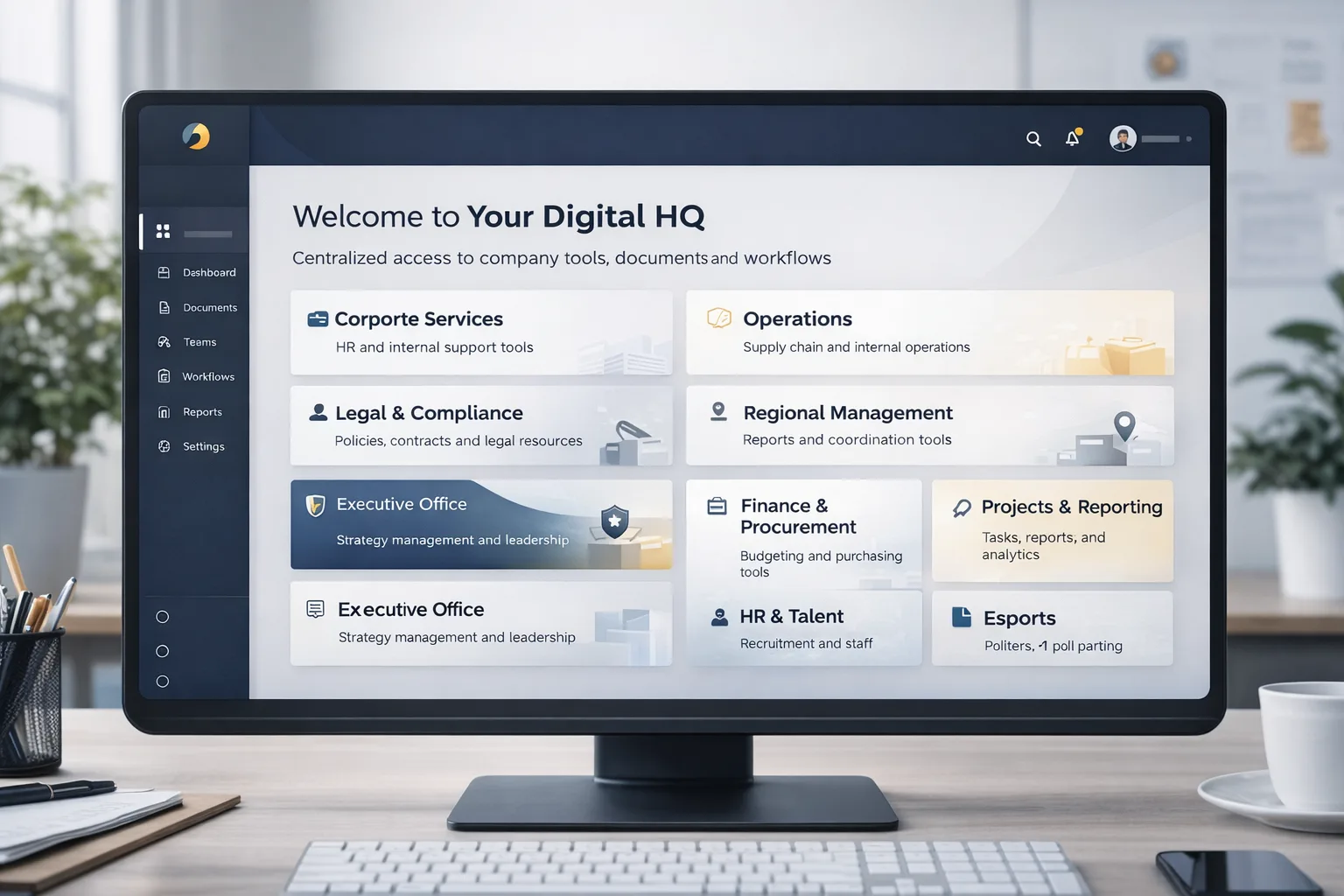
Dashboard & Home
Land on the work that matters: shortcuts to policies, forms, Pulse, sites, and the directory, plus metrics, leadership contacts, and pinned notices.
Wolf Pulse & Communications
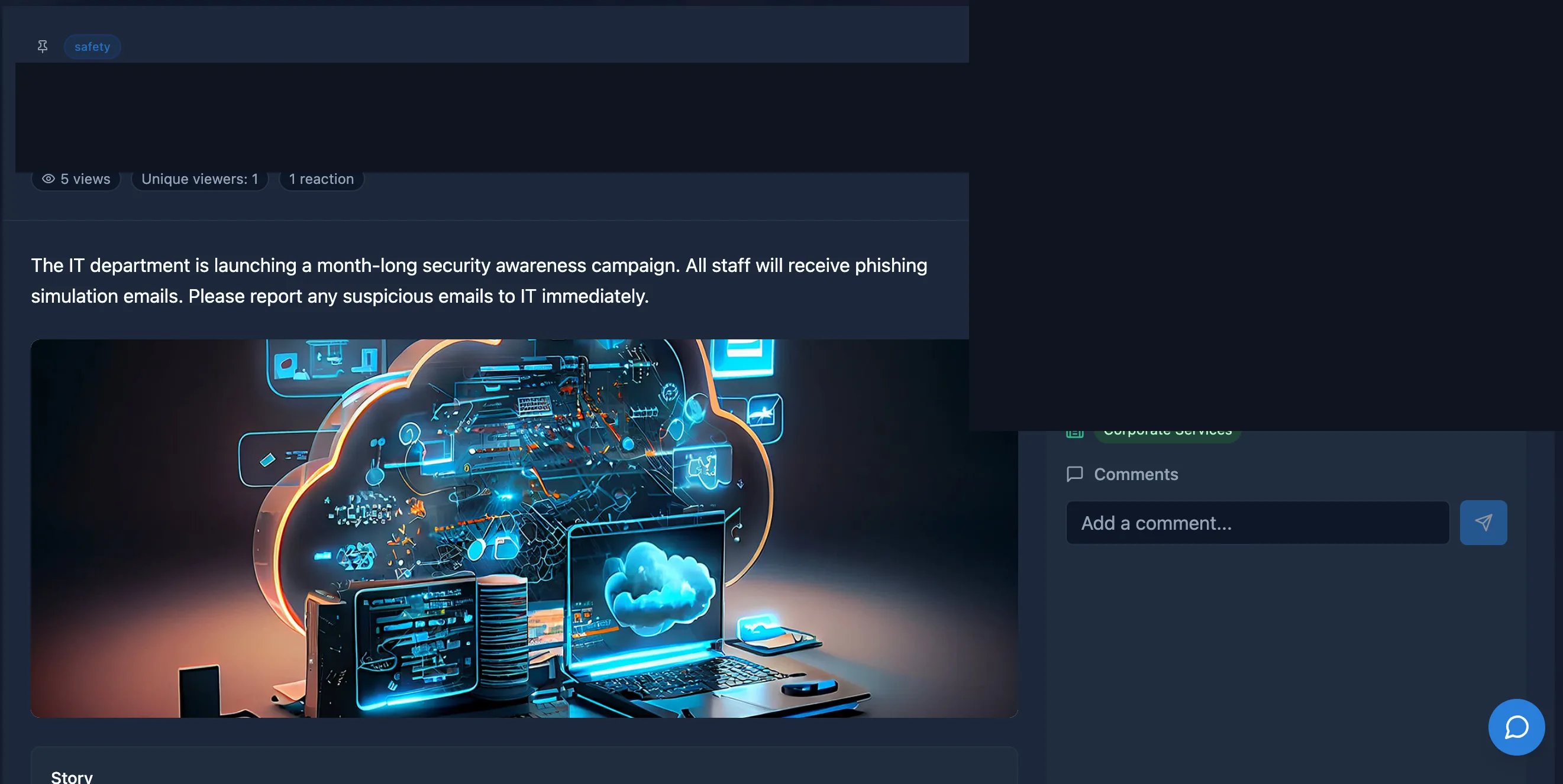
Announcements with images or video, rich stories, comments, and reactions — sent to the whole org or the right Microsoft groups. Pin what matters; the archive keeps history.

HR — leave & performance
Leave requests, balances, and supporting documents. PMDS and a performance hub for KPI and OKR cycles, check-ins, scoring, and manager sign-off.
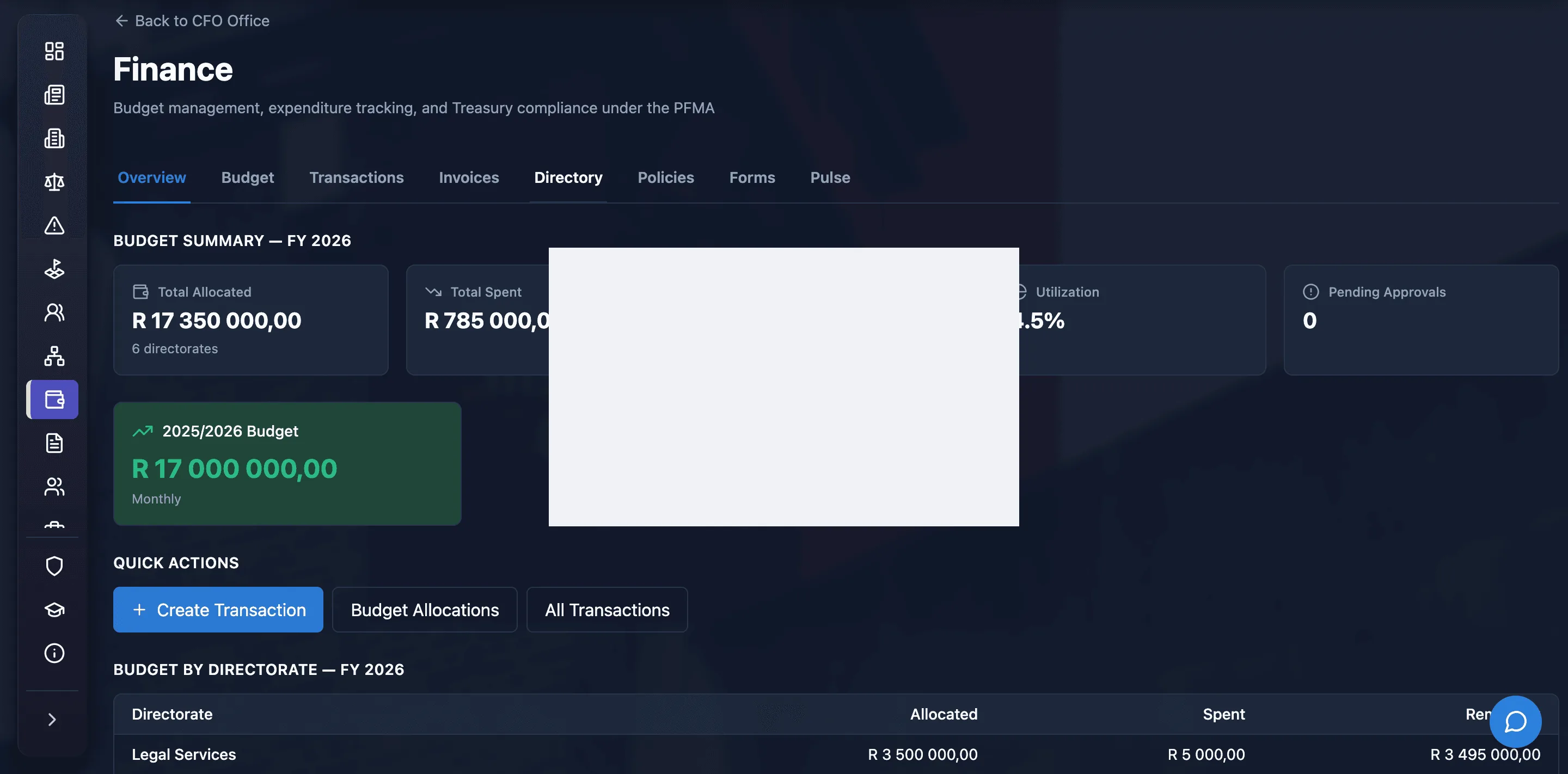
Finance
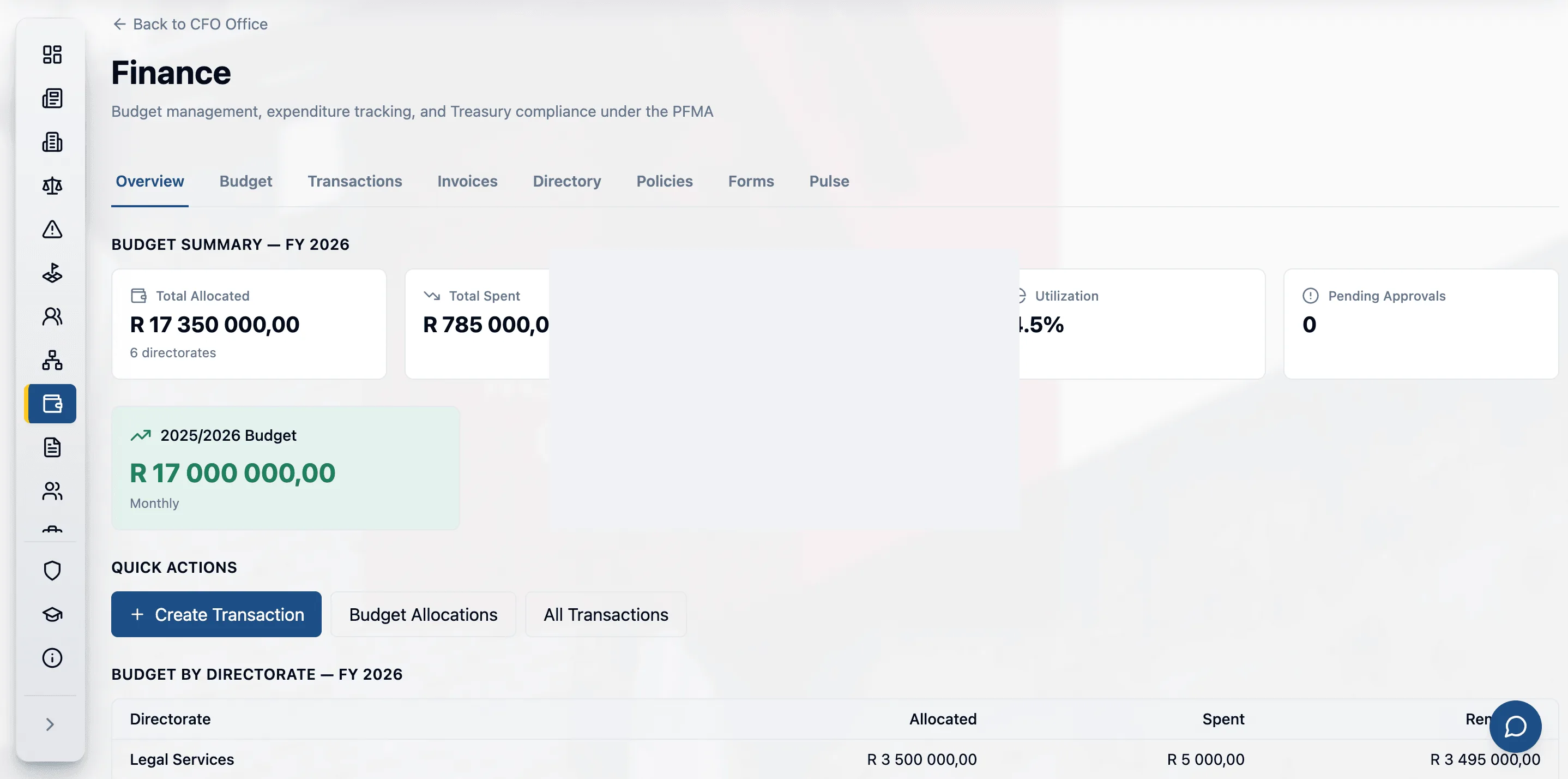
Budgets, invoices, and transactions connected to operational work — so spend and approvals live in the same workspace as the rest of the company.
More capabilities
Policies & Forms
Find policies by directorate, region, or status, then view or download. Fill e-forms, attach files from your device or OneDrive, and track submissions and approvals in one inbox.
IT & Support
Open a ticket for hardware, software, or access, attach screenshots, and follow the conversation until it is resolved. Page-level feedback goes to IT as well.
Profile & Global Directory
Role, manager, HR record, leave, and performance in one profile. Search the directory by name, email, department, role, or location.
Offices & business units
Office workspaces align leadership, finance, legal, HR, IT, and operations around shared priorities, with role-specific links and policy access.
Also in the platform
- CRM — accounts, contacts, and pipelines
- Projects — delivery workspace
- Fleet — vehicles and field operations
- Finance — invoices, transactions, and budgets
- Supply chain — procurement to stock
- Client 360 — linked work in one view
In the product
- • Modules follow the live Digital HQ product. A demo is the right way to see which workspaces apply to your roles.
- • Sign-in uses Microsoft. Access follows organisational structure — people are not dropped into someone else’s view.